 Fast, Free Delivery
 Money-Back Guarantee
 Lifetime Customer Support
 365 Days Warranty
Support Center
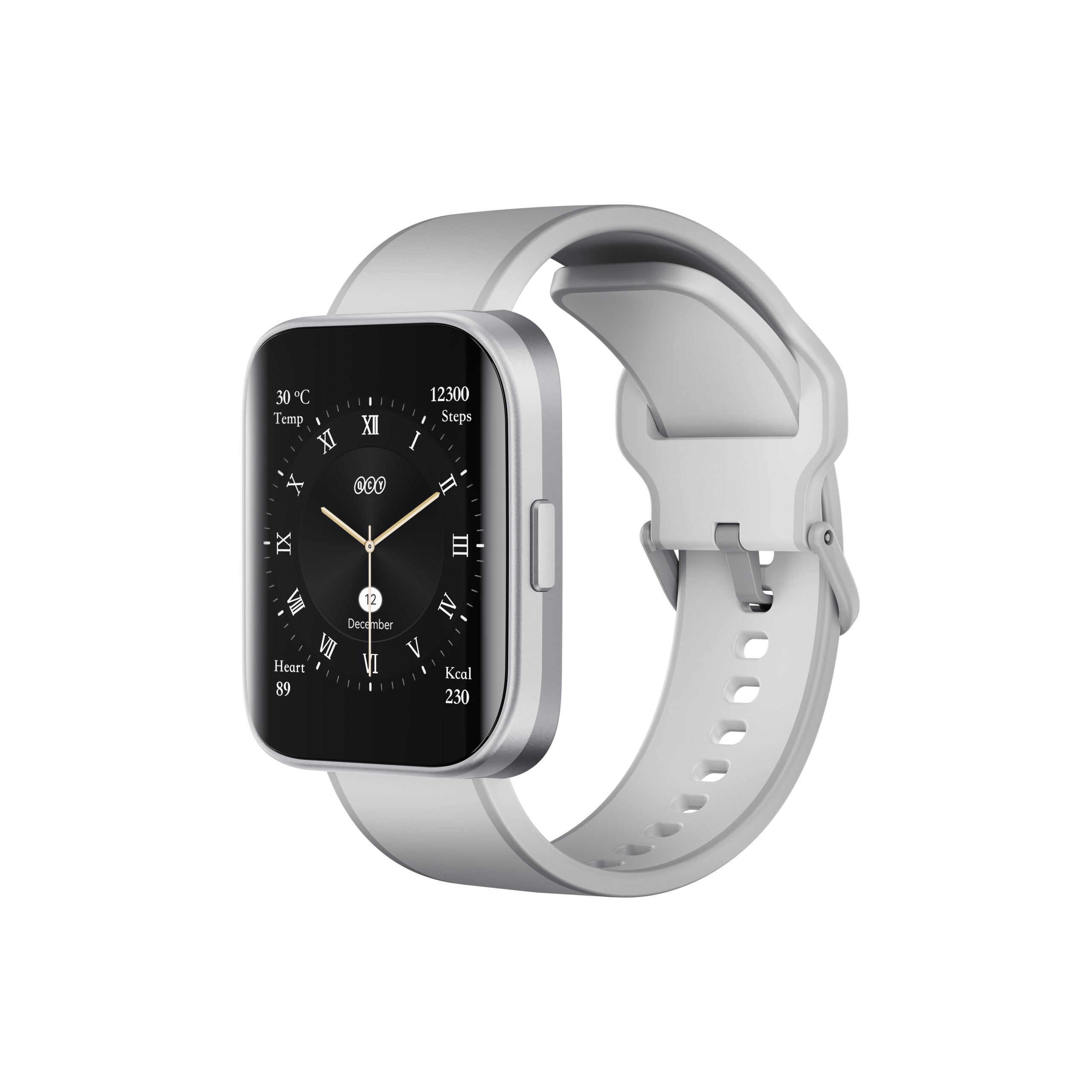
Urban GS
Find product guides, troubleshooting answers, manuals and customer support.
FAQ
How do I charge my smartwatch?
Use the included cable to connect the watch to a phone charger.
What should I do if the watch won’t charge or turn on?
1. Regularly clean the charging contacts on both the watch and the charging cable using a cotton swab with a small amount of isopropyl alcohol.
2. Fully charge the watch and restart it. If the watch hasn’t been used for a while, it may need a full charge first due to over-discharge protection.
Why is my watch battery draining so quickly?
Frequent screen use, notifications, and active tracking features shorten battery life. Consider disabling any continuous monitoring features you don’t need.
What should I do if my watch stops working?
1. Charge it for two hours.
2. Try a factory reset.
3. Let it rest overnight and try again.
4. Contact the seller if it remains unresponsive.
Do I need to keep Bluetooth on while wearing my watch?
1. No, for step counting, sleep tracking, and alarm clock functions, you don’t need to keep the watch connected at all times. You can sync your watch with your phone after exercise if you only need it for activity tracking.
2. For call alerts, message notifications, and "Find Phone" functionality, you need to keep your phone’s Bluetooth on and maintain the connection with the watch.
The watch isn’t receiving alerts, messages, or calls. What should I do?
1. Make sure the smart reminder and call reminder options are enabled in the app, and sync to your watch.
2. Ensure your phone is paired with the watch via Bluetooth (see “Syncing Data” if needed).
3. Keep your watch connected to Bluetooth.
4. Ensure notifications are enabled in your phone’s settings.
The app can't find my watch. What should I try?
1. Confirm the watch is updated to the latest version.
2. Close any background apps, restart Bluetooth, and try connecting again.
3. Ensure your phone is compatible with your smartwatch
Bluetooth connection keeps dropping. How can I fix this?
1. Stay within 10 meters of your phone; greater distances weaken the Bluetooth signal.
Barriers like the human body or metal jewelry can interfere with the connection.
Check if your phone’s Bluetooth is functioning correctly.
What should I do if data won’t sync to my watch?
Try these steps:
1. Reset your watch, remove it from the app, and pair it again.
2. Make sure your phone is connected to the watch via Bluetooth.
3. Uninstall and reinstall the app.
4. Restart your phone.
5. Ensure the app is allowed to run in the background, as some phones stop apps to conserve battery, which can disconnect your watch. Check your phone’s settings to prevent this.
I can’t update my watch software. What can I try?
If you encounter issues while updating your watch, try these steps:
1. Keep your phone and watch close, within 10 meters. Reconnect if they disconnect.
2. Ensure a strong WiFi or mobile data connection.
3. Make sure your watch battery is above 40% before upgrading.
My app isn’t working with my watch. What can I do?
1. Ensure Bluetooth is enabled, and your phone and watch are paired.
2. Check your app store for updates to the smartwatch app.
3. Restart your phone.
4. Re-pair your watch with the app.
5. Allow the app to run in the background to maintain connection; consult your phone’s manual to adjust battery settings if needed.
How do I connect my watch to my phone?
1. Download the QCY app and enable necessary permissions.
2. Turn on the watch, scan the displayed QR code with the app.
3. Slide right to select your preferred language.
Why can’t my watch monitor sleep data?
Make sure your watch is fully charged, fitted snugly, and worn overnight. some smartwatches require at least three hours of sleep to record accurate data.
How do I set up message notifications on my watch?
1. Pair the watch with your phone.
2. Enable message notifications in the app.
3. Allow permissions for the app on your phone.
4. Select which apps you want to receive notifications from.
Why aren’t my steps accurate?
1. Input your height and weight in the app to improve accuracy.
2. Try resetting the watch for better calibration.
Why won’t my display activate when I raise my wrist?
1. Try different angles or speeds when raising your wrist.
2. Ensure the "DO NOT Disturb" mode is off.
Swing the watch to activate the sensor, or reset to factory settings if issues continue.
Contact the seller if the problem persists.
Can I use the smartwatch without a smartphone?
Yes, the watch functions independently for time, calories burned, steps, distance, etc. However, you won’t be able to access history or notifications without connecting to the QCY App.
Can I change the smartwatch strap myself?
What material is the watch band made of?
The band is made from food-grade silicone to minimize the risk of allergies. For the best fit, leave about a finger's width of space between the band and your wrist to allow for slight swelling after exercise or changes in temperature.
Still Need Help?
 Call Us+1 (917) 807-6754
 Submit FeedbackSubmit Here
 Chat with Us
 Customer Supportservice@qcyearphone.com
 Marketing & Partnershiprice@qcyearphone.com
 Press Inquirypr@qcyearphone.com