 Fast, Free Delivery
 Money-Back Guarantee
 Lifetime Customer Support
 365 Days Warranty
Support Center
Product support
MeloBuds ANC
Find product guides, troubleshooting answers, manuals and customer support.
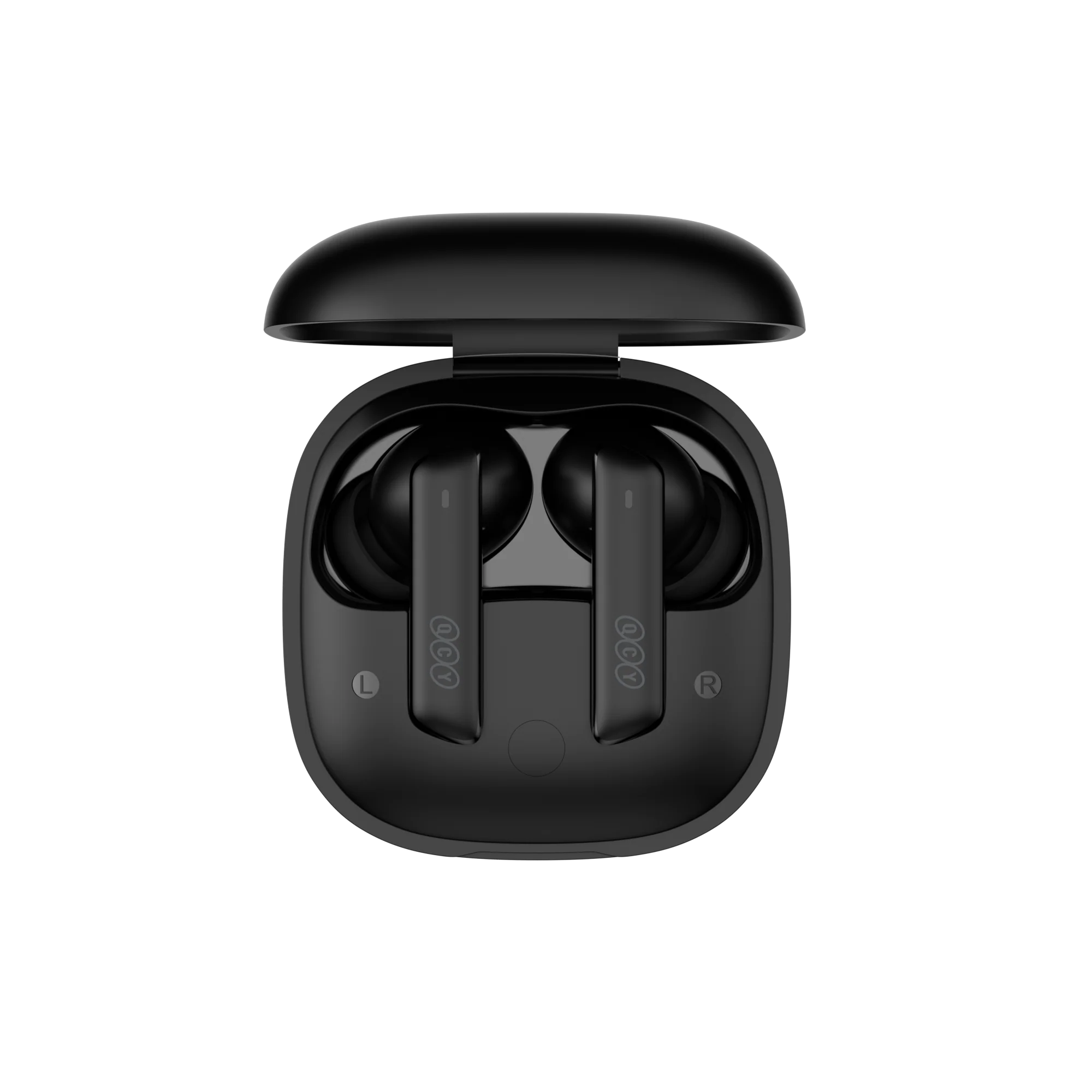
Support Video
MeloBuds ANC Support Video
FAQ
How do l update the firmware?
Update the fireware on the QCY App
Pathway: Open the QCY APP -Settings - Firmware Update - Click Update
How to connect to the QCY app?
1. Get the QCY App.
The QCY app is available on iOS and Android devices. It can be installed from the Google Play Store or the Apple App Store.
2. Connect the QCY earbuds with your device via Bluetooth (i.e. a smartphone or tablet)
3. Use the QCY app for enhanced product experience.
Why does the QCY app ask for location access?
The app itself doesn’t normally need location access. However, when Bluetooth Low Energy (BLE) is used to find your earbuds, Android requires location permission.
If you prefer not to share your location, close the app and try pairing again.
What should I do if my earbuds are not found on the QCY App?
1. Pair the earbuds with your phone.
2. Open the QCY app, scroll to the bottom, and click "Add Devices."
3. If "Melobuds ANC" pops up, select it to connect.
4. If not, click "Set Up Manually" and choose "Melobuds ANC" from the list to connect.
How many times can MeloBuds ANC charging case recharge the earbuds?
30h
Why do the earbuds stay connected to my device even after being placed in the charging case with the lid closed?
1. Ensure the earbuds are seated properly in the case.
2. Clean the charging contacts on both the earbuds and case to ensure a proper connection.
3. If the issue persists, contact our service center.
What should I do if the earbuds don’t turn on when taken out of the charging case?
1. Make sure the earbuds are charged.
2. Check if the ear tips are installed properly.
3. If the earbuds still don’t turn on after charging, contact our service center.
My earbuds' battery runs out too quickly. What can I do?
To get more battery life from your earbuds, try these tips:
- Lower the volume.
- Turn off ANC
- Disable smart features and Spatial Audio.
- Use only one earbud for phone calls.
- Turn off the earbuds when you're not using them.
How do I check the battery level of the earbuds?
Pair the earbuds with the QCY app on your phone to check the battery level.
To download the app, just search for "QCY" in your app store.
How to reset Melobuds ANC?
1. Delete the Bluetooth record on your phone.
2. Place both earbuds in the charging case and press and hold the charging case button for 15 seconds (press until both earbuds flash white five times and then turn back to red to indicate successful operation).
3. Try searching and pairing again.
What Can I do if the touch control do not work?
Try the following method:
1. Ensure you're touching the control area.
2. keep your hands dry. If your hand is wet, the touch controls may not respond effectively.
3) Reset the earbuds.
How to pair Melobuds ANC?
1. Open the charging case to activate pairing mode.
2. Enable Bluetooth on your device.
3. Select "Melobuds ANC" from the list of available devices.
How to connect the earbuds with two devices at the same time?
To connect two devices:
1. Pair the earbuds with device A.
2. Disable Bluetooth on device A, and the earbuds will enter pairing mode.
3. Pair the earbuds with device B.
4. Re-enable Bluetooth on device A and reconnect to the earbuds.
After this initial setup, the earbuds will automatically connect to both devices next time.
Can I buy one side of the earbuds if I lost one earbud?
We do not sell earbuds separately, so you will need to purchase an entire set instead.
What can I do if my earbuds fall out easily?
We offer various ear tip sizes to ensure a good fit. To find the best fit:
1. Make sure you’re wearing the correct earbuds (check the L/R logo).
2. Try different ear tip sizes.
3. Twist the earbuds slightly to find the most secure and comfortable position.
How should I care for my earbuds?
1. Use your earbuds regularly to avoid battery over-discharge. Aim to use them at least once a month.
2. Charge the earbuds after each use, and don't wait until they drop below 20% to charge.
3. Open the case at least once a month to check that everything works, and charge the case monthly.
4. Clean the charging pins on both the earbuds and case regularly.
5. Keep the ear tips clean and wipe the metal mesh with rubbing alcohol.
6. If they get wet, use a hairdryer on the 'cool' setting to dry them.
How to clean my earbuds?
Regular cleaning and maintenance after daily use are essential for extending the lifespan of your earphones. Neglecting this can lead to reduced performance and longevity.
1. Cleaning the Contact Pins:
- Ensure the charging case is unplugged from any power source.
- Use a cotton swab or a soft cloth moistened with rubbing alcohol or an alcohol wipe to gently clean the contact pins on both the earbuds and the charging case.
2. Cleaning the Earbud Filters:
- First, remove the ear tips from the earbuds.
- Use a cotton swab dipped in rubbing alcohol to carefully clean the filters.
What can I do if the volume is low when connecting to my phone?
Try follow these troubleshooting steps:
1. Clean the Ear Tips: The sound may be muffled if the sound hole is blocked by debris. Use a Q-tip with a small amount of rubbing alcohol to gently clean the metal mesh filter under the rubber ear tips.
2. Re-pair Your Earbuds: Clear the pairing records on your phone, then re-pair the earbuds to your device.
Why is sound only coming from one side of the earbuds?
To resolve this issue, try the following steps:
1. Re-pair the earbuds: Unpair the earbuds from your Bluetooth device and then pair them again.
2. Charge the earbuds: Ensure the charging case has enough power. Place the earbuds in the case, close the lid, and wait a few seconds to restart your earbuds
3. Restart your device: Try restarting your smartphone or computer.
Reset the earbuds: Follow the instructions in the manual to reset your earbuds.
4. Re-initialize and pair again: If the problem continues, initialize the earbuds and re-pair them with your device.
5. Check for Chat Mode: If you're using a voice chat app, music playback may pause when Chat Mode is activated. Exit Chat Mode to resume audio playback.
Can I use the left or right earbud on its own?
Yes, just take one earbud out from the charging case to use.
If you are using two earbuds, you can put either one of the earbuds back into the charging case and continue using the other one on its own.
Manuals
Still Need Help?
 Call Us+1 (917) 807-6754
 Submit FeedbackSubmit Here
 Chat with Us
 Customer Supportservice@qcyearphone.com
 Marketing & Partnershiprice@qcyearphone.com
 Press Inquirypr@qcyearphone.com